

How To Add IP Address Location Finder Widget
I'm write the article How To Add IP Address Location Finder Widget In Blogger, Today i am guide to your about adding the IP Address Location Finder Widget In Blogger This is a very good Gadget, widget for your blog or website, Find your Visitor IP address, Location, OS, Web-Browser and Country. So This is great plugin for your blog.
Download Free PC Registered Software Click
Let's Start:-Step -1
Copy HTMLJavaScript Code In The Box Below, What You Want Style

HTMLJavaScript Code Here

HTMLJavaScript Code Here
Step -2
Log-in Your Blogger Account,
Step -3
Click on Dashboard , Then Click on Layout,
Step -4
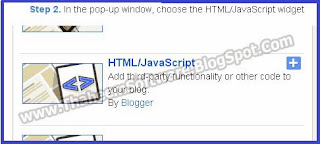
After Adding HTML/JavaScript gadget,

Download Free PC 100,000 Drivers Full Click
Step -6
Copy The Code Above In Step -1, Past in HTML/JavaScript,
Step -7
Now Click on Save Button, Done!
Note.
Do Not change the any word or Urls in this code, if you change any word or urls may be the code is not work properly.
If you see any dead link please tell me on comment. If you like this post share it with your friends.
